FactoryAI Pro
AI-powered manufacturing operations at enterprise scale
Duration
10 months (complete FactoryAI Pro) · 3 weeks (Operator Hub)
Industry
Manufacturing
Cross-functional team
1 AI Engineer · 2 Data Scientists · 1 PM · Senior Leadership · 4 SW Engineers
Role
Research · Product Design · Design Systems · Testing
Your phone. Your shoes. Even your coffee, almost everything is manufactured.
Manufacturing shift work is highly interconnected. Teams coordinate across people, machines, and schedules, yet much of that coordination lived in siloed spreadsheets, manual check-ins, and ad-hoc updates.
There was no single surface that showed what was happening right now, what might go wrong next, and how decisions by one role affected others. This made it hard for teams to anticipate conflicts, align priorities, or plan proactively.
To address these challenges, I worked as a designer at BCG on the Factory AI Pro (also known as Manufacturing AI Suite), a set of applications built to give teams a shared operational view informed by data, patterns, and human context.
This case study focuses on Operator Hub, one of the core applications in the suite, designed to simplify operators’ daily work.
Problem statement
Operators juggle too many tools to get their work done.
The client described a factory floor slowed down by disconnected systems. Operators switched between tools and repeated tasks, wasting time and effort.
From this, we defined our How Might We (HMW) question:
How might we use AI to make operators faster and more efficient?
Understanding the problem
To understand why operators struggled with existing digital tools and why AI adoption lagged, I combined two types of insights:
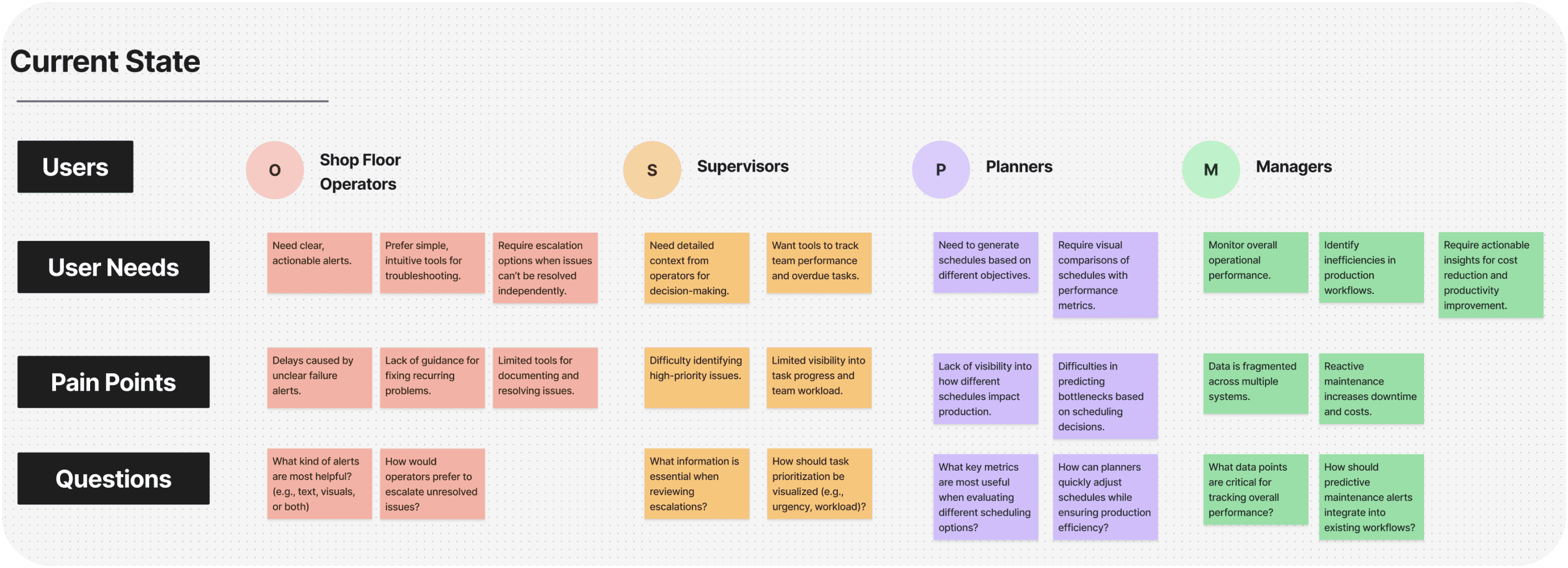
Discovery sessions with key stakeholders
I worked with AI engineer, data scientist, and the product manager, who had firsthand knowledge of system limitations and operator feedback collected through prior engagements.
Secondary research
I reviewed 6+ industry reports and whitepapers on digital transformation in manufacturing. This research gave me a high-level view of the market, confirming that the problems surfaced in discovery were not unique to our client, but part of a wider industry pattern.
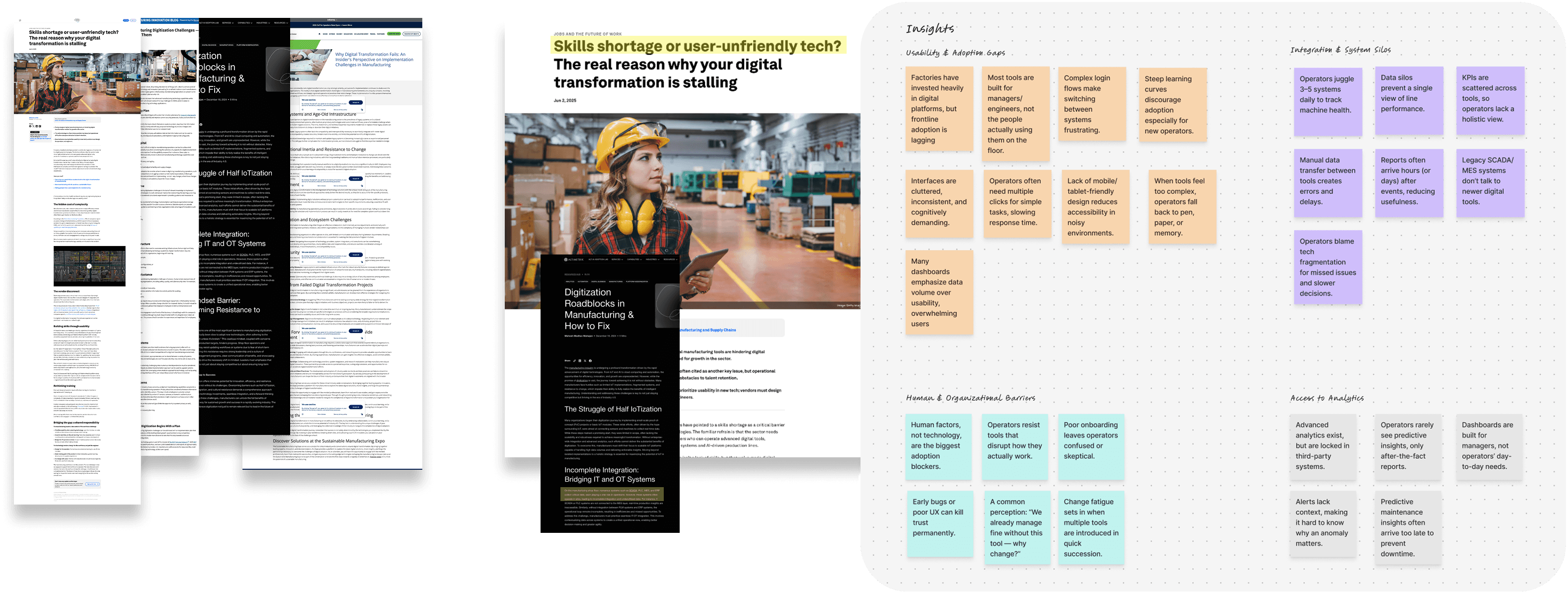
Key findings from research
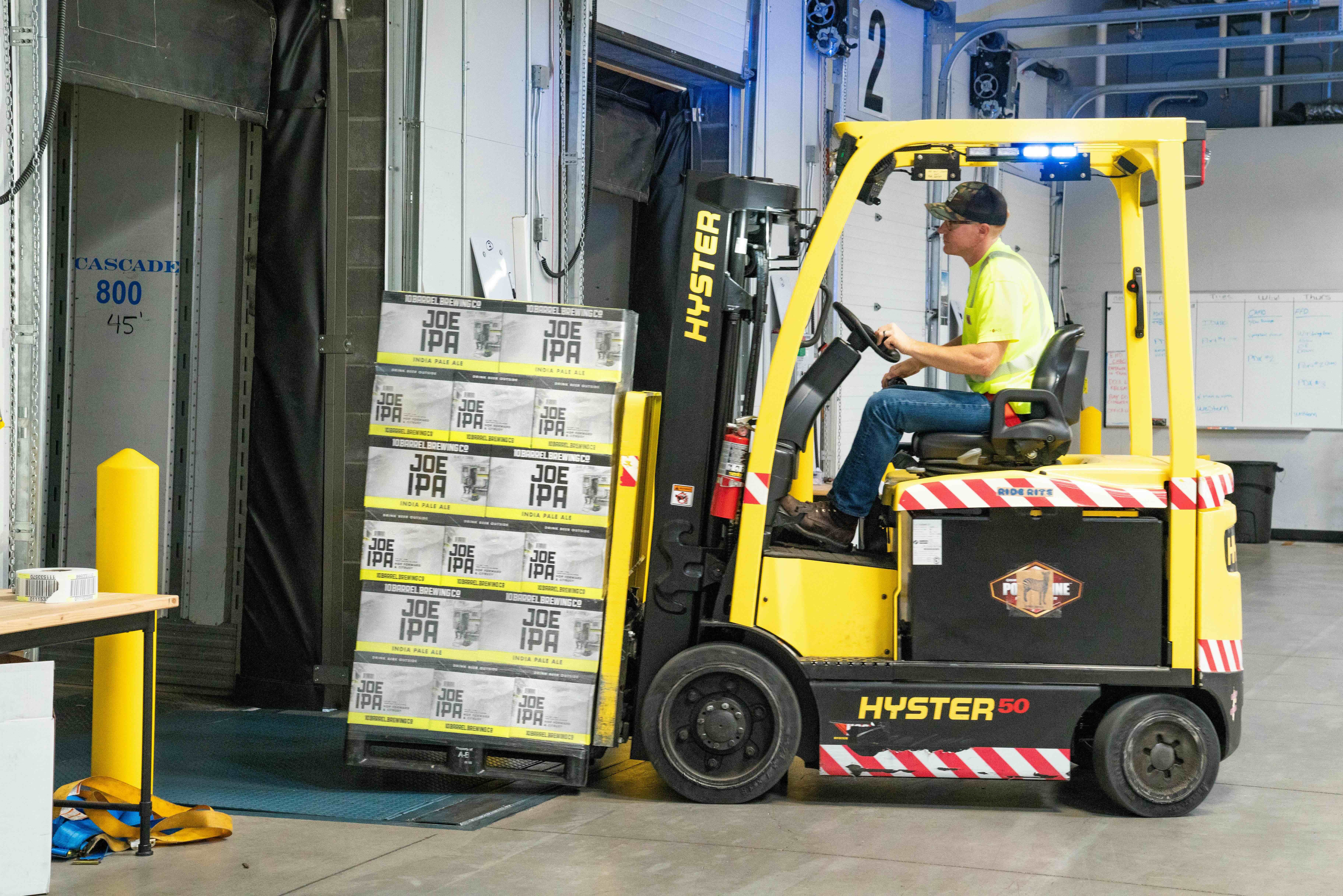
Mark, the Shift Operator
Role & context
Works on the manufacturing floor during a 3-shift cycle.
Responsible for hitting production targets, logging defects, escalating issues, and handing over to the next shift.
Uses multiple systems/tools but often feels they don’t talk to each other.
Goals & motivations
Spend less time on switching between systems and more time on actual operational work.
Minimise downtime and errors.
Feel confident in the tools they use.
Pain points
Too many tools - wasted time and errors
Logging defects or escalating issues meant switching systems resulting in wasted time and errors.

Disconnected systems - slow decisions
Operators had to piece together data from multiple tools, leading to delays and mistakes.

Inconsistent handovers - missed details
Shift handovers lacked consistency, causing missed details that led to downtime and delays.
Design principles
The following design principles acted as a north star, ensuring that every decision supported operator needs, business goals, and the realities of the manufacturing floor.

Clarity first
Show only what matters most and helping operators focus on critical tasks.

Trust through patterns
Follow established UI patterns to reduces friction and build operator confidence.

Resilience in real world
Design for imperfect conditions that fit how operators actually work.
Solution
Early explorations
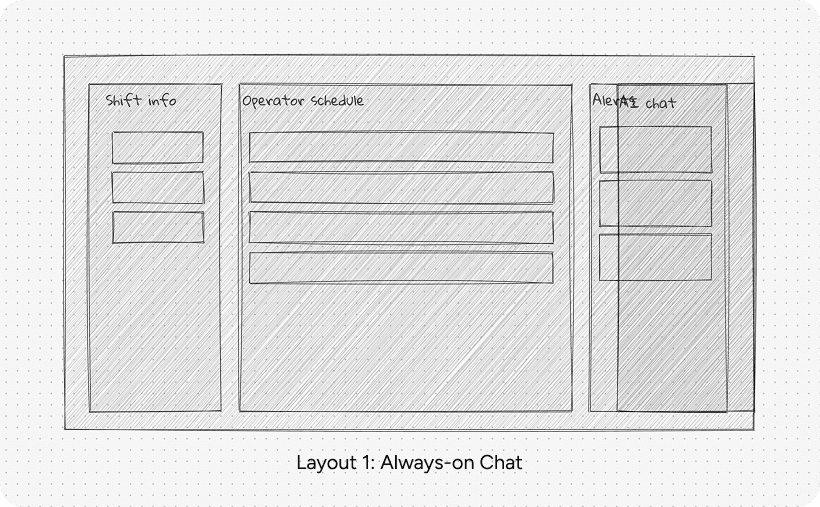
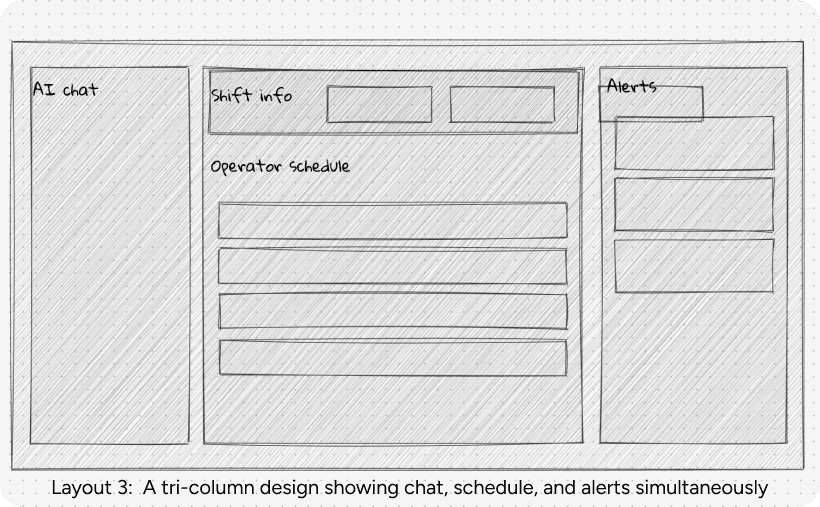
I sketched multiple layout directions for the Operator Hub. The goal was to find a structure that put critical operator tasks at the center, while also making AI support accessible without overwhelming the experience.
The three directions are shown below:
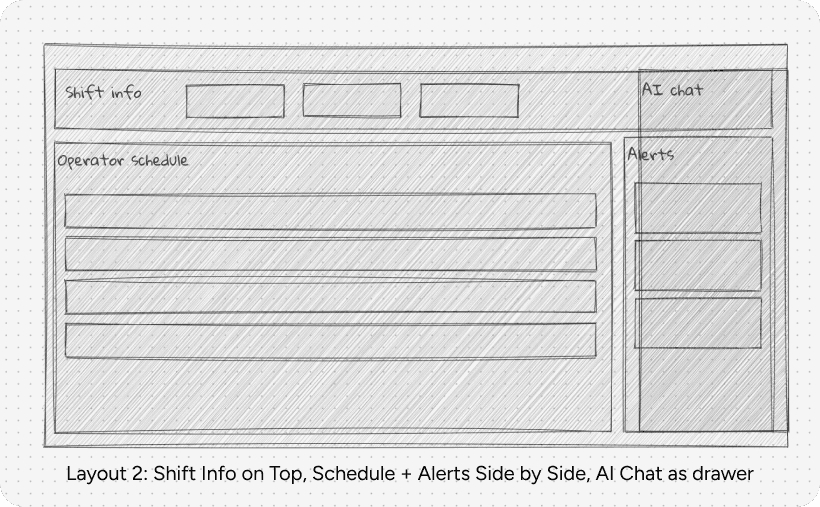
Final Direction: Layout 2
This layout aligned across all stakeholders and reflected the design principles defined earlier:
Operators found the flow intuitive and close to their shift routine.
Leadership appreciated the balance between visibility and focus.
Engineering confirmed the modular design can scale to future AI modules without changing the core interface.
Together, this confirmed Layout 2 as the foundation for the final Operator Hub experience: clear, scalable, and grounded in real-world workflows.
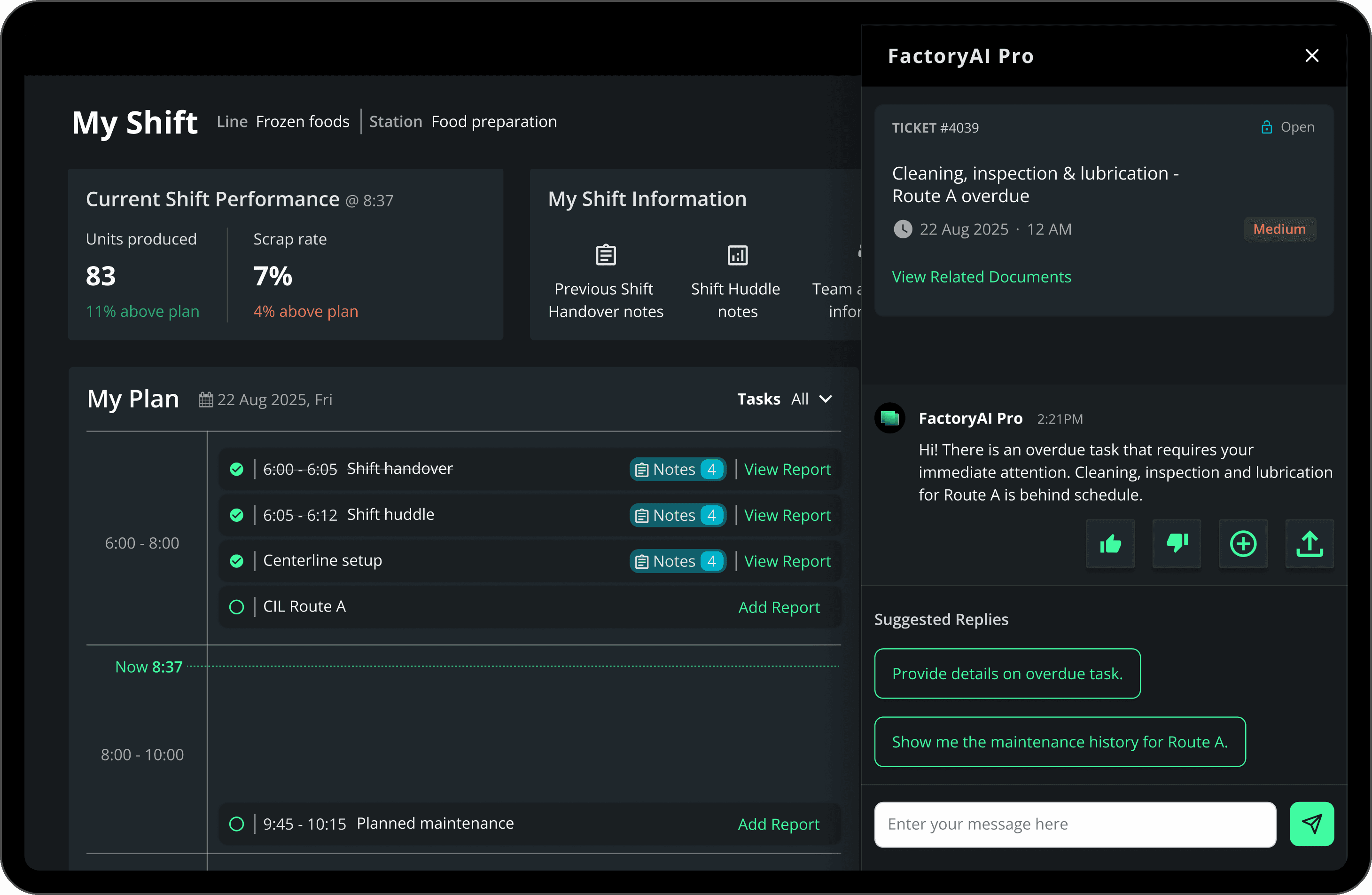
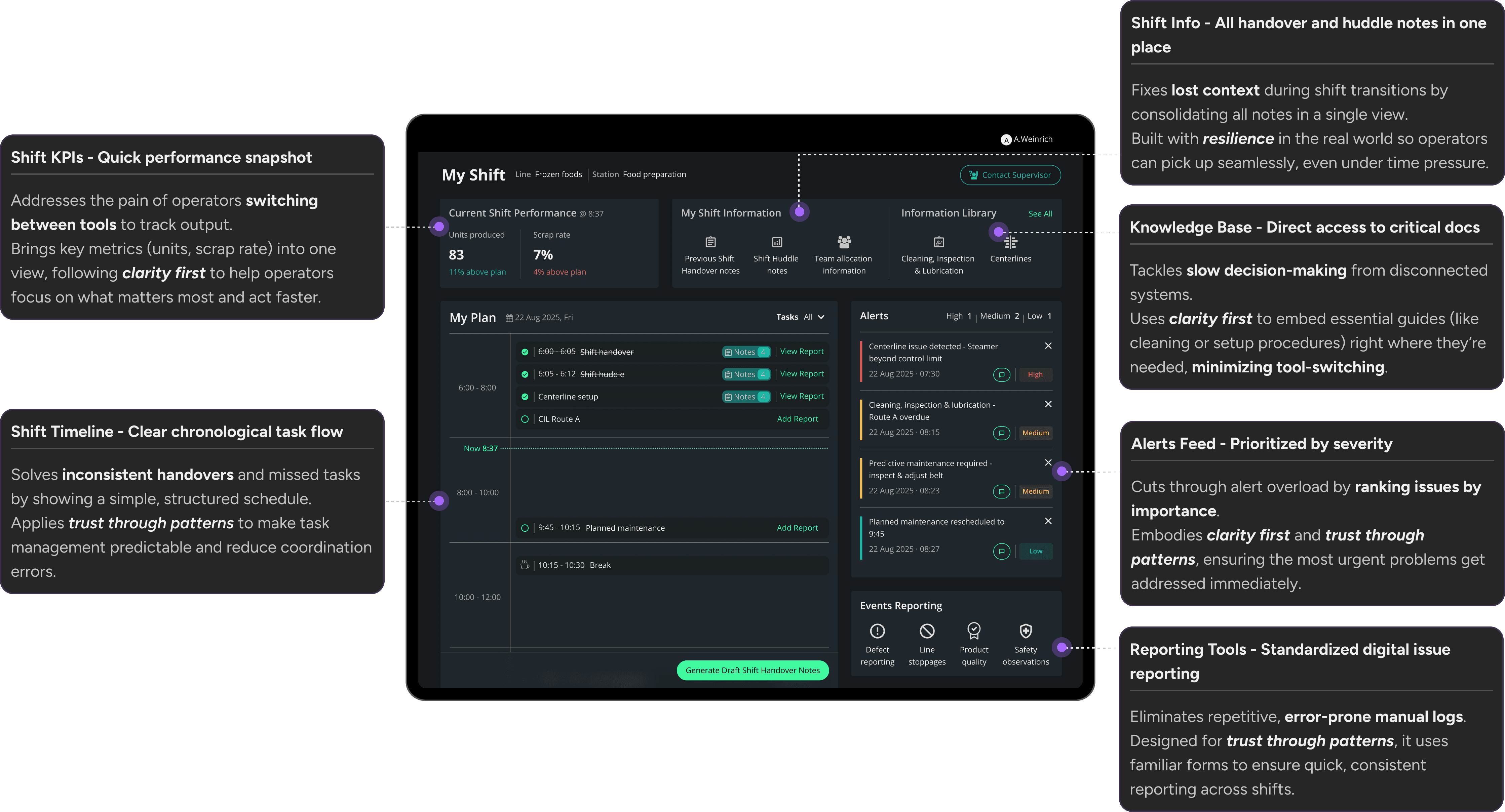
My Shift: A unified operational workspace for clarity, continuity, and faster decision-making
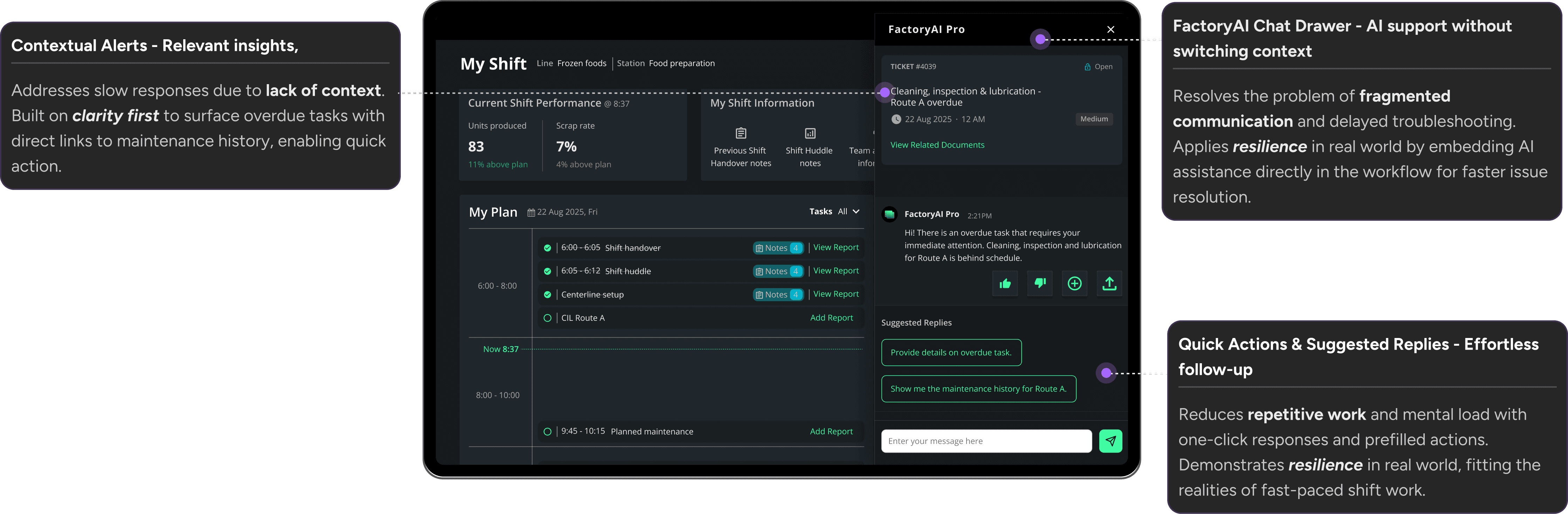
Context-aware alerts and embedded AI support for rapid issue resolution
Challenges and iterations
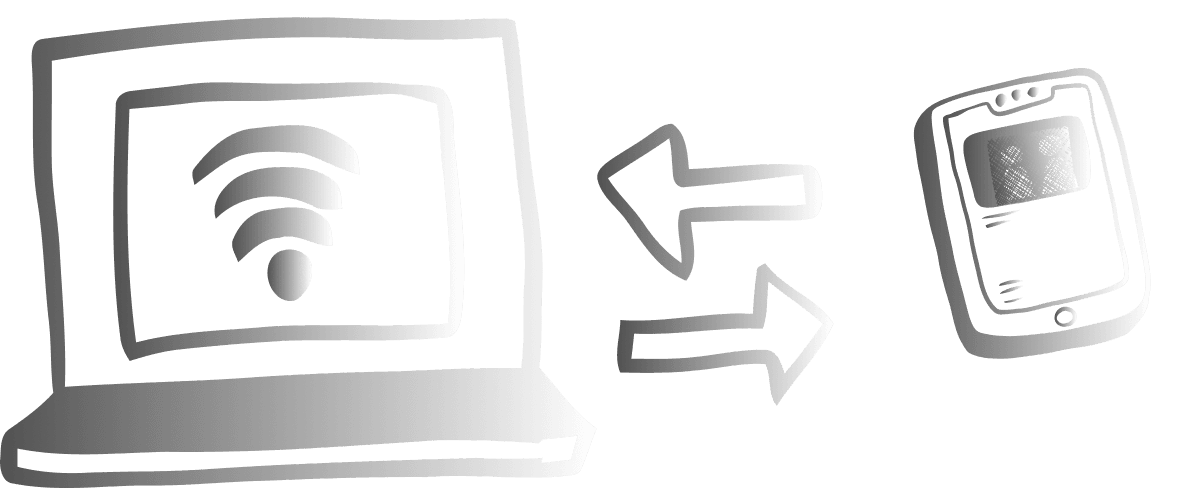
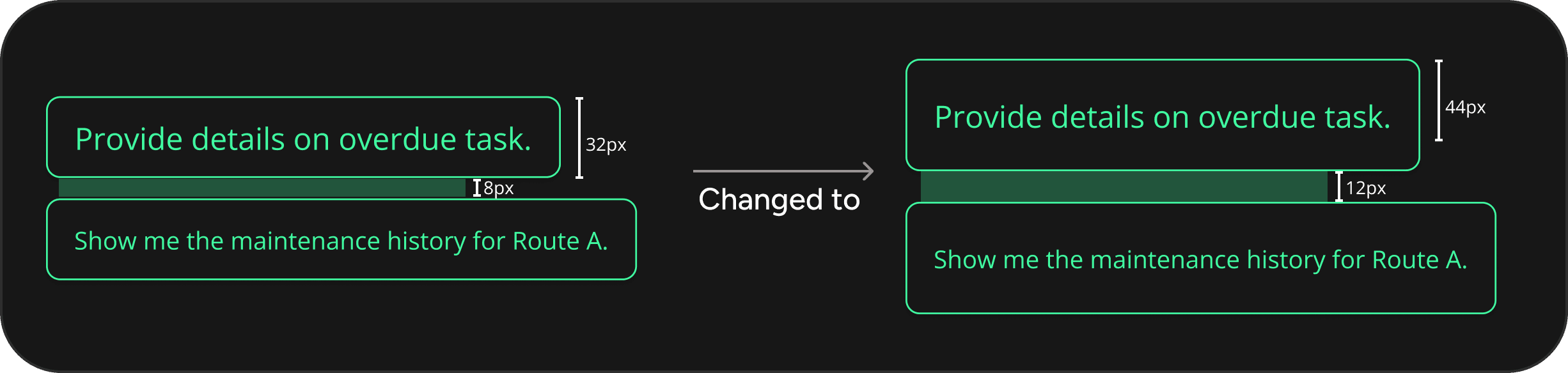
Desktop-first design didn’t fit shop-floor tablets
We began with a desktop-first design for shift planning, but feedback from the shop floor showed operators also used tablets. This revealed the need for larger tap areas, wider spacing, and clear feedback for gloved use. The final design now performs effectively across both devices.

AI chat icon wasn’t noticeable
Placed as just an icon, the AI chat was overlooked. Operators didn’t realize it offered contextual support. Added a text label “Ask AI” making its purpose clearer.

Impact
Defined UX strategy and design for 8+ AI-driven applications, improving plant productivity by up to 25%.
Built a component library and color system for visual consistency and faster delivery across multiple projects.
The positive results from the Operator Hub directly led to a client engagement with a global electronics firm.
Reflection and future opportunities
Building a component library early slowed the first app slightly but accelerated the rest of the apps' designs, saving weeks of effort.
Future opportunities
Expand the design system to cover more workflows.
Evolve visualization patterns for real-time factory data.
Interested in continuing the conversation?
Please feel free to reach out.